It has become much easier to make posters at the time of coming as AI tools have been done in the market but there was a time when Photoshop was a mere bar for creating a banner or logo of any type.
Then in the market Canva After the coming of which the graphic designers got silver. Every kind of design could be made in pinch. waste hours on photoshop.
Canva is a tool that lets you do without any design skills Professional Design Can Make—That’s Just Drag & from drop. Now with AI tools and Canva any design has become even easier.
In this article we will know:
- What is Canva?
- What is the difference between Canva Free vs Premium?
- Canva Pro invites small producers, students and business owners in free.
Table of Contents
🎨 What is Canva?
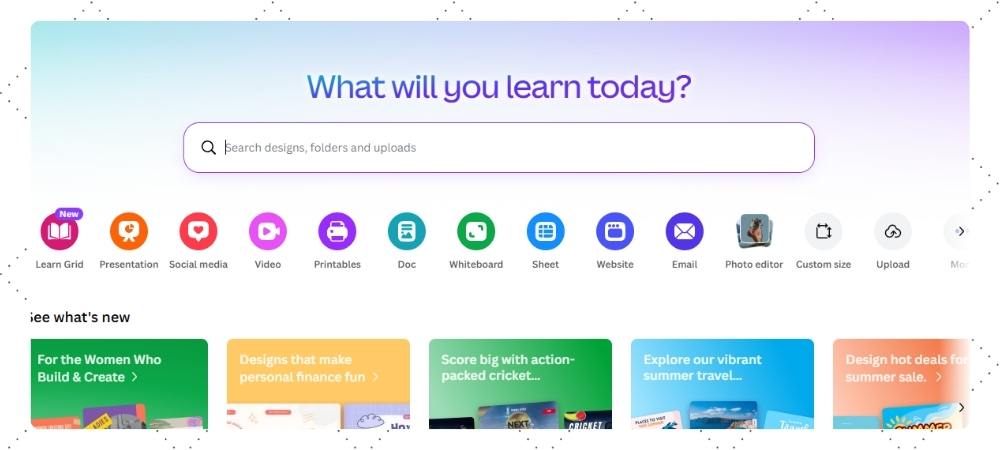
Canva A Online graphic design platform You can easily create designs with the help of templates.
This tool goes on both browser and mobile app and its interface is so simple that any beginner can use it.
👉 Where is Canva used?
- Instagram post and reels thumbnails
- YouTube Thumbnails
- Posters and Banners
- Resume and presentations
- Business Cards
👉 Meaning: Canva is an all-in-one design tool.
⚙️ The Main Features of Canva
You get two kinds of features in Canva—Free and Premium.
✅ Free Features:
- Drag & Drop Editor
- Free templates
- Free photos, icons and fonts
- Basic editing tools
🚀 Premium Features:
- Background Remover
- Magic resize (size change in a click)
- Brand kit (logo, color save)
- AI tools
🆓 Canva Free Plan
The free version of Canva is quite useful for beginners.
✅ What to get:
- Limited templates
- Free images and elements
- 5GB storage
- Basic design tools
👍 For whom:
- Students
- Beginners
- Casual users
❌ Limitations:
- Premium elements on watermark
- Background remover does not get.
- Advanced tools are locked.
💎 Canva Pro
Canva Pro is the best for you if you are serious content creator or business owner.
💡 What to get:
- 100M+ premium assets (images, videos, templates)
- Background Remover
- Magic Resize
- Brand Kit
- 1TB storage
- AI tools
👤 For whom:
- YouTubers
- Instagram creators
- Freelancers
- Businesses
Canva Pro invites small producers, students and business owners
| Site name | Canva |
|---|---|
| Status | Working |
| Canva Pro Team Invite Link | Canva |
| Second Option | Use cookies if the team is not working Canva Premium |
| Update Date | Today |
| Telegram Channels | Fintech Apps Info |
| Cookies Editor | Installed |
Canva cookies are only being shared for educational purposes and you can contact us through the contact page if you want it to be new here.
Your Premium Code 10 Second...
⚖️ Canva Free vs Pro (Comparison)
| Feature | Free | Pro |
|---|---|---|
| Templates | Limited | Unlimited |
| Background Remover | ❌ | ✅ |
| Brand Kit | ❌ | ✅ |
| Storage | 5GB | 1TB |
| Magic Resize | ❌ | ✅ |
👉 Simple talk:
Free version is good for learning, Pro version for growth.
💰 Canva Pricing (India)
- Free Plan ₹0
- Pro Plan ₹499/month
- Teams Plan
👍 Canva Pros & Cons
👍 Pros:
- Easy to use
- Beginner-friendly
- Time saving
- Templates get ready
👎 Cons:
- Free version
- Internet Required
- Some advanced features are paid
👤 What is Canva the best for?
- Students
- YouTubers
- Instagram creators
- Bloggers
- Small Business Owners
👉 Canva is the perfect tool for you if you’re creating content.
🔄 Canva Alternatives
If you want to see Canva alternatives, then these tools can try:
- Adobe Express
- Figma
- VistaCreate
❓ FAQs
Q1. Is Canva free?
👉 Yes, the free version of Canva is available.
Q2. Is Canva right for beginners?
👉 Absolutely, these are made only for beginners.
Q3. Can I replace Canva Photoshop?
👉 For basic design yes, but for advanced editing Photoshop is better.
Q4. Is Canva safe?
👉 Yes, this is a trusted and secure platform.
About Post
Canva is a powerful and easy-to-use design tool that is useful for everyone from beginners to professionals.
Start using Canva today and create professional designs without design skill.