
Many of the creators in the time of right now want to grow themselves by creating Instagram reels or YouTube videos, but they do not understand what video editing apps will be best for them. It’s not a matter of time because we’ve brought you a lot of research and found Top 5 free video editing apps for android that will help you overcome all your troubles.
We are going to give you all the information about this blog that will save your time and there will be no hassle to find someone else.
One thing else tells you that you don’t need any more knowledge than ever to use these apps. The winning app looks simple as it can easily edit any video.
Let's talk about our best video editing apps.
Table of Contents
Free video editing apps
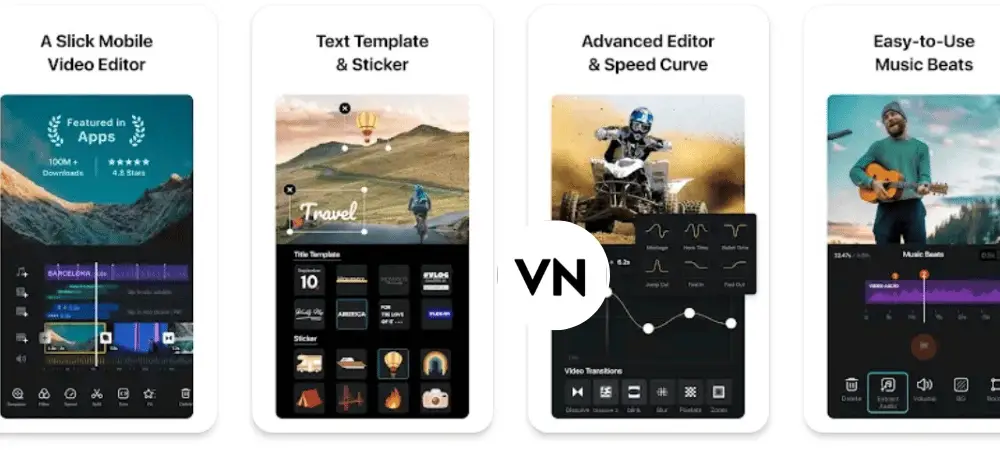
I’ve put this app at the top as it comes with my very favorite and very much features. The VN Video Editor app is simple to appear but its tools are advanced. Everything is placed in the category that gives its user interface a very clean look. It comes with two varients Once you have a paid and a second free but I will suggest you to use the free one. You will also get a lot of features.
There is also a coumunity in the VN app that many people post their videos in the form of a new creator.
Most people prefer to edit the reels for themselves that can set the ratios as per your reel like 9:16, or even adjust the size for YouTube videos.
First Time doesn’t make sense of editing any video of how to use this feature to remove this product, contact, copyright free music and static fonts are available to help you create a very good video.
Other features:-
- Opacity can increase or decrease.
- The background of a video can be removed.
- Speed control of the video accordingly.
- Mirror can mirror your video clip.
- Reverse can reverse a video.
- Extract Audio can use your video by extracting audio from another video.
2. Video Editor
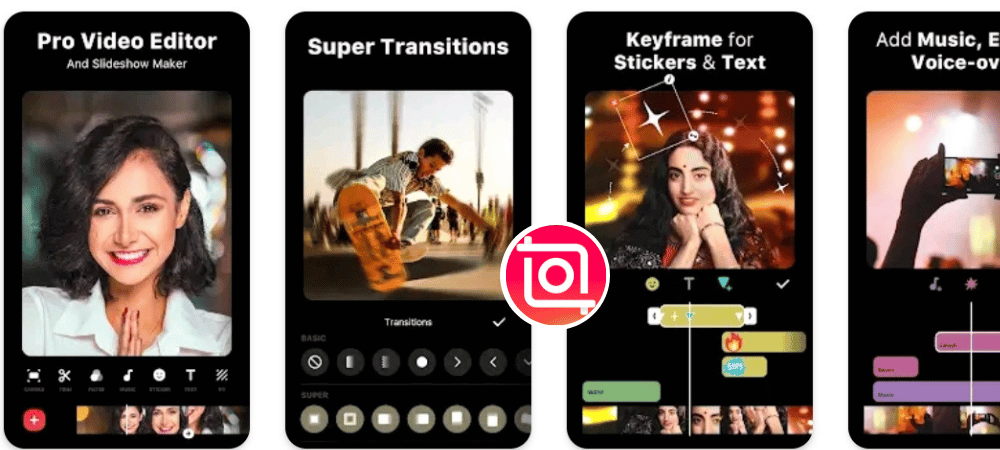
I'm very pleased There are also a lot of features that make the inshot app different from the category of the rest of the app. Inshot can edit both photos and videos in the app but it’s very easy to edit a little bit. If you talk about video editing, it’s best for it.
With this app, you can cut the video, crop, and then and make the photo slideshow together.
You also get a section of the material from which you can use any fonts, templates, video clips or steakers in your video.
Inshot is a very similar filter like the glitch effect and also the one you can do with the same video speed control, image in picture mode, text effect, background remover, and video with freeze effect that helps us to edit any video.
You can export your video to resolutions like 720p, 1080p and 4k.
Other features:-
- Denoise removes noise from your video.
- Voice Effect will get a lot of voice effects from your video.
- Replace the current clip with any other clip.
- Inshot like Reverse VN also gets a reversion option.
- Flip can change the direction of your video or photo.
read this
TOP 5 ANDROID APPS FOR ANIMATION
Read more 👉 Best AI Apps for Android Phone Users
Video Editor & Maker
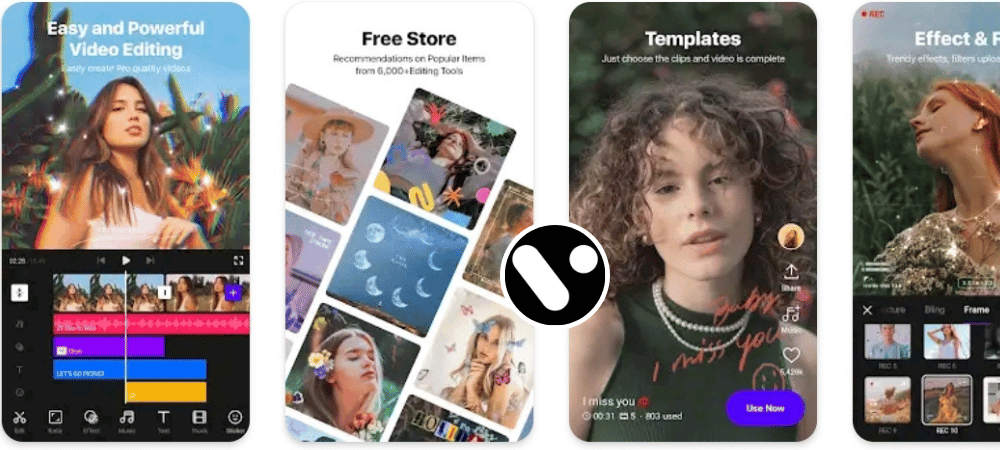
The Vita app is a very powerful video editor. The app has 10 crore downloads on the playstore with 68% of users from India and is unique that there are already made templates that are not in any other app. This templates attracts today’s new instagram reel creators considerably.
There’s also a free market place like the rest of the apps you can use in your video. The first Luke app has five main features like Effects, Animations, Music, Capsons, and Transgenes will help you edit your video.
All the tools that contain are similar in the app. Just like cutting, spill, reversion, steakcrus, baccaland, picture in picture mode and one thing is that every video editing app has some tool specials that are just in the app.
Every app has its own special thing you will know when you use yourself.
Other features:-
- Edit this app has been given the option of edits that you can crop any video by dropping the same cropped clip into the screen.
- Sound I get you any sound effect, music, you can use your voice.
- Text to speech If you don’t want to add your voice to your video, you can use Ai’s voice.
- Mosaic These are a kind of filter as the shape helps blur a place.
- Adjust वैसे तो ज़्यादातर ऐप मे ये ऑप्शन होता है लेकिन वीटा ऐप मे थोड़ा ज्यादा पावरफूल है जिस से आप अपने विडियो मे लाइट को कम या ज्यादा कर सकते हैं। कुछ और भी ऑप्शन हैं जिसे आप एक्सप्लोर जरूर करें।
4. Capcut
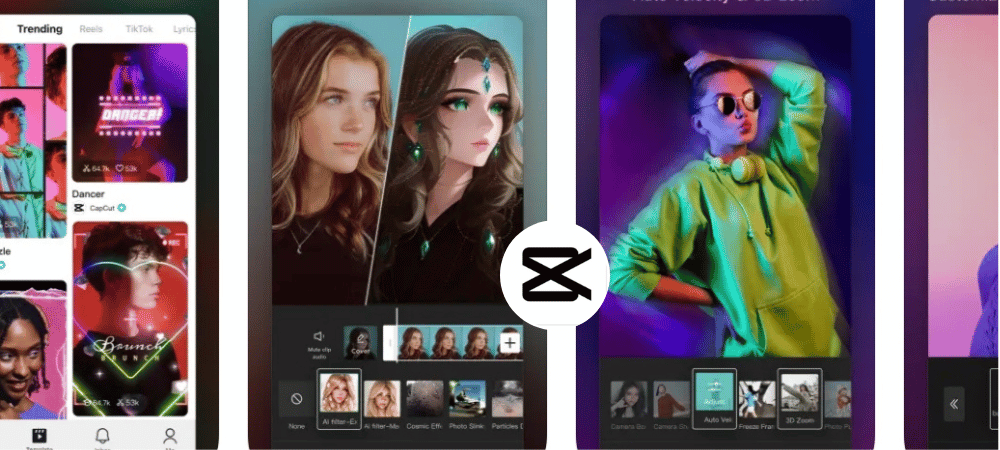
इस लिस्ट का चौथा एप है कैप कट इसके 2022 मे Most downloading apps मे ये चौथा नंबर पर था। साथ ही इसका लोकप्रियता बढ़ता ही जा रहा है । देखा जाये तो कैप कट एक चाइनिज एप है जो Bytedence के द्वारा बनाया गया है।
कैप कट वेब बेस्ड ऐप मे भी उपलब्ध है जो आपके फोन के साथ साथ डेस्कटॉप मे भी चल सकता है जोकि आप capcut.com से भी अपने क्रोम की से सहायता भी विडियो को एडिट कर सकते हैं।
टेक्स्ट टू स्पीच ,टेक्स्ट टू वॉइस , मैच कट के खास features के साथ आता है जो आपके विडियो एडिट करने के मे बहुत ही लाभदायक है (मैच कट से आप अपने ऑडियो के बीट के एकोर्डिंग कैप कट आपको खुद से ही कट लगा कर दे देता है जिस से आपका काफी मेहनत बच जाता है।
साथ ही आपको इसमे Overlay या पिक्चर इन पिक्चर के एडवांस टूल्स मिल जाते हैं और तो और आपके Over lay विडियो क्लिप का बैक्ग्राउण्ड को ऑटोमैटिक रिमूव कर देता है जिस से आपके विडियो मे चार चंद लग जाता है। बाकी एप्स की तरह इसमे मे भी आपको Chroma key , effects ,filters , adjust video ये भी मिल जाता है
मै कपकट को दो तीन स्पेशल टूल के लिए ज्यादा यूज करता हूँ जैसे की टेक्स्ट ट्रैकिंग , ऑटो कैप्शन, और मोशन ब्लर इस ऐप को कुछ खास बनाता हैं। आप एक बार जरूर ट्राइ कीजिये और हमे कमेंट करना ना भूलें की sepecially कैप कट कैसा लगा।
Other features:-
- Cutout इस से आप पूरा बैक्ग्राउण्ड को तो रिमूव कर सकते हैं साथ ही customized तरीके से भी बैक्ग्राउण्ड को हटा सकते हैं।
- Lock on बेसिकली ये आपके फ़ेस , बॉडी और हाथ को ट्रैक करता है जैसे जैसे आपका फ़ेस विडियो मे मुव होगा वैसे ही ये विडियो के Ratio को सेट कर देगा।
- Style इसमे आपको बहुत ज्यादा filters मिल जाते हैं जैसे की Ai पेंटिंग , एक्स्प्रेसन्स , मोशन और फ़ेस स्वाप आप अपने जरूरत के हिसाब से यूज कर सकते हैं।
- Reduce noise अगर आपके विडियो मे Excess बैक्ग्राउण्ड शोर है तो इस से features से कम कर सकते हैं।
- Text templates साथ ही आपको टेक्स्ट का टेम्पलेट्स का खजाना मिल जाता है जिस से आपके विडियो और भी आकर्षित हो जाता है।
5. Kine Master
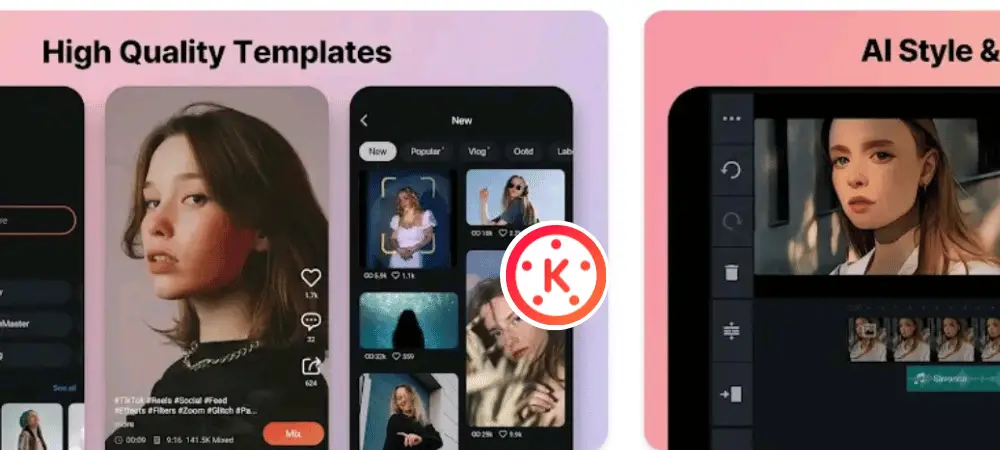
अगर आप Beginner हो और विडियो एडिट का V भी नही जानते हैं तो आपको kine master ऐप से ही शुरुआत करनी चाहिए क्योंकि इसमे आपको हर वो features और टूल्स मिल जाएँगे जो शुरुआत मे एक विडियो एडिटर को सीखना चाहिए । देखा जाये तो मै भी जब विडियो एडिटिंग का शुरुआत किया था तो पहले मैंने इस ऐप का बेसिक ऑप्शन को जाना फिर मैंने किसी और ऐप मे स्विच किया था।
Kine master मे आपको फ्री स्टोर भी देखने को मिल जाएँगे जो थोड़ा लीमिटेड Resource के साथ उपलब्ध है साथ ही आपको विडियो मे से स्क्रीन शॉट लेना , क्लिप कट करना , किसी क्लिप को ड्यूप्लिकेट करना इफैक्ट ,टेक्स्ट स्टीक्केर्स और हैंड राइटिंग ड्राइंग टूल्स मिल जाएँगे।
साथ ही कुछ एडवांस एप की तरह भी कुछ Options हैं जैसे की ग्रीन स्क्रीन को रिमूव करना ,chroma Key , Animations, ट्रीम्मिंग , ब्लेंडिंग और क्लिप ग्राफफिक features मिल जाएंगे
कुछ और भी हैं जैसे Rotate / Mirroring , vignette , और Adjustment ये सब Features का भी यूज करके आप एक बेस्ट Video एडिटिंग कर सकते हैं।
अब आपको हमारे बताए हुए एप्स मे से जो आपको पसंद हो उससे विडियो एडिटिंग की शुरुआत कर सकते हैं देखा जाये तो आप जितना सीखने पे ध्यान देंगे उतना ही आपका एडिटिंग स्किल निखरेगा और आप एक Professional विडियो एडिटर बन पाएंगे ।
About Post
इस पोस्ट मे हमने Top 5 free video editing apps for android के बारे मे जाना है। आशा करता हूँ हमारा पोस्ट आपको पसंद आया होगा । हमने कोशिश की है की आपको उन एप्स की हर जानकारी देने की जिस से आपका समय बच सके और आपका कन्फ़्युशन दूर हो सके की कौन सा बेस्ट है और हमे कौन सा इस्तेमाल करना चाहिए । फिर भी अगर आपके माइंड मे कोई और सवाल आ रहा होगा तो आप हमे कमेंट मे जरूर बताएं। हम आपके Comments का जवाब देने के लिए हमेशा तत्पर रहते हैं।
Thank you.


