

Tide The United Kingdom is a financial company that offers banking facilities to small shoppers and businesses. December 7, 2018 Tide India has come to India with a current account for Small Business in India. Simultaneously, Small and Medium Size allows businesses to build automatic bills.
Its office is in London (HQ), Sofia (Bulgaria) and Hyderabad (India). The company was founded by George Bevis in 2015.
We’ve told you that the tide app is kya hai but in this post we’ll give you more detailed information about the tide that you can answer all the questions and you can fill in the company that you can take the proper advantage of the tide.
Start...
Table of Contents
Tide Business Benefits
Tide is an extremely powerful finance business account that provides the option to manage your finances to Small Shoppers and freelancers. And you can do it with your android smartphone and you don’t need any computer.
Yes, it is only available in android app for India. ios will also be available for the platform in some time.
Tide gives you all the features. Some of the facilities are currently running in testing for India but soon you can see in your app.
- Free Tied Expense Card.
- Direct loading of card balance from internet banking or UPI.
- Active Member Support.
- Real time notifications.
- GST Invoice Generation.
- Syncing with Instant Software
- Ripat Catigarization for Auto Expense Management
- Payroll Management Credit Services
- Auto reminder company extension card
- Cashback Offers every month.
Also Read:
Dukan Ke Liye Bill Kaise Banaye? 5 Best Free Billing Apps
Best Platform to Buy Digital Gold
Kya Tide Ek Bank Account Hai?
Tide is a UK-based company with its vision to spread its products and services across the world. Tide is now offering India’s Small Businesses with its Tide Business Account and Rupay. Tide is not a bank account. It has partnered with Transcorp International Ltd., a finacical company in India. Transcorp is a 28-year-old bse listed and regulated entity.
Tide App Kya Hai Aur Account Open Kaise Karen?
The most important thing to do is to use this account in just 5 minutes. We will now tell you the step by step on how you can open an account for your business.
Important Documents
- आधार कार्ड
- PAN Card
- Your number should be linked with the base card.
Firstly visit the Play Store and search the Tide Business India app you will get this app to install it in your phone and OPEN the app after it is installed.
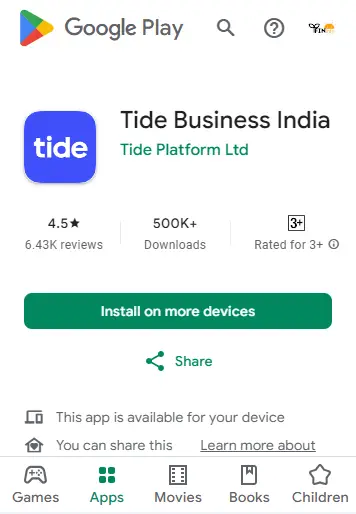
Now you have to click on the Open Free Account.

In this step, you have to insert the refer code with your email id and mobile number. It is not mandatory to insert the refer code. You can proceed without it.
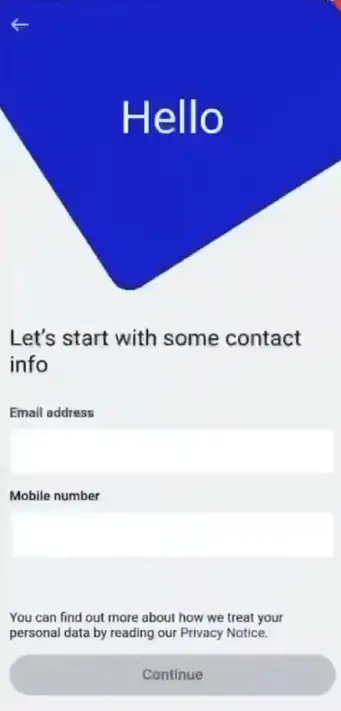
Now the verification link is sent to your email id Open your Gmail app. Click on the mail sent by Tide on it.

The email will see some of this type of verify email.

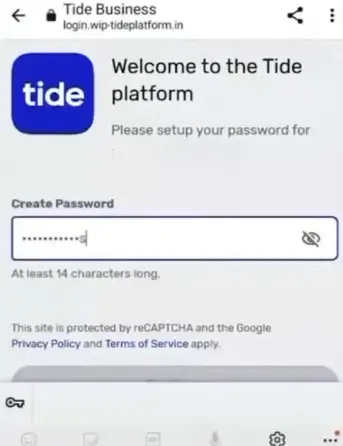
After clicking on the verified email, you will see the interface of the type in which you have to set a strong password, then click the Continue button.
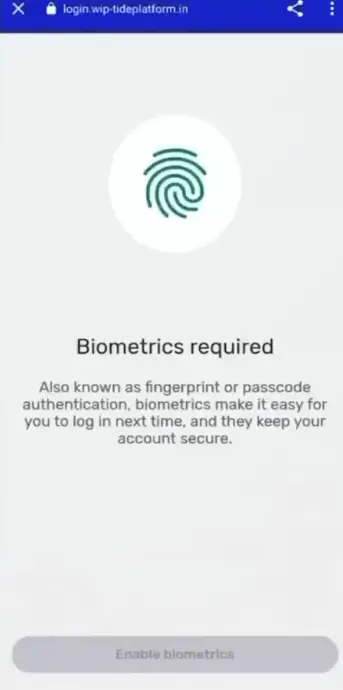
Now you have to configure your biomatric fingerprint. enable verify by clicking on biomatric. Then click on the opening date.
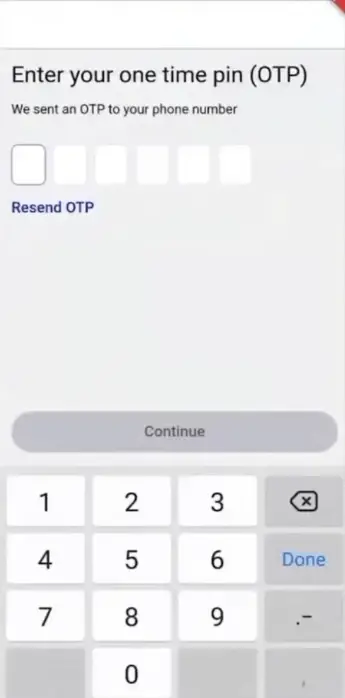
Now you have to verify your mobile number for which an OTP (One Time Password) is sent to your number. Enter OTP here and click on Continu.
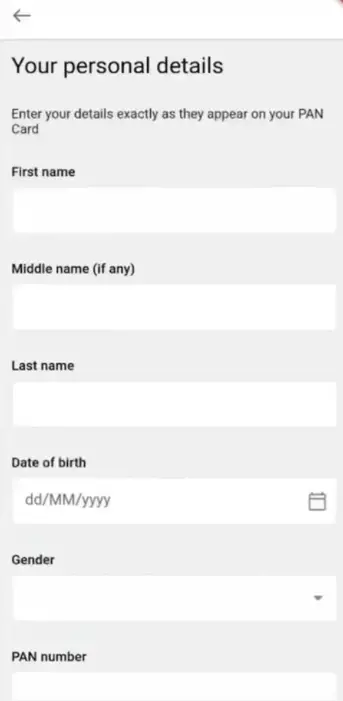
In this step, you have to put your personal details like First Name, Date of Birth and Pan Card Number, after correcting the details.
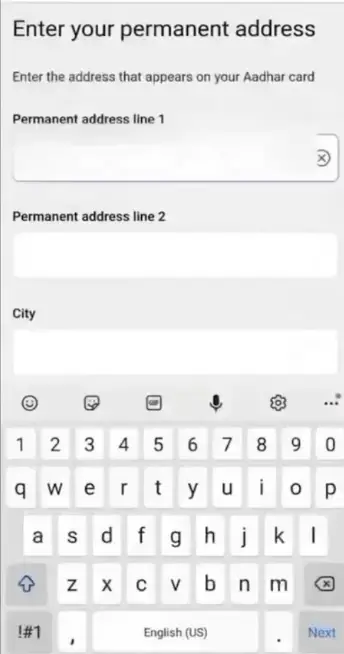
Now add your address. Continue with PIN code as per your base card.
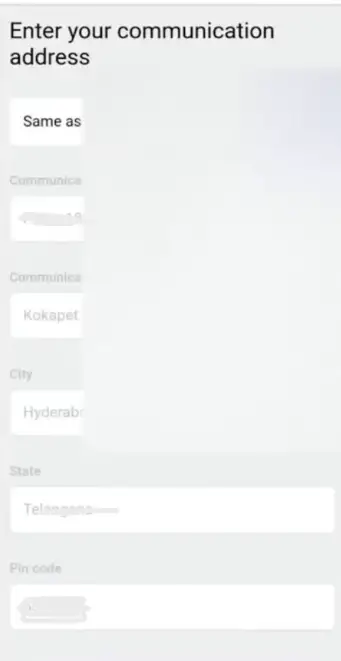
Now add your communication address. If permanent address and communication is the same, simply enable the same as option if not, which is the adrece.
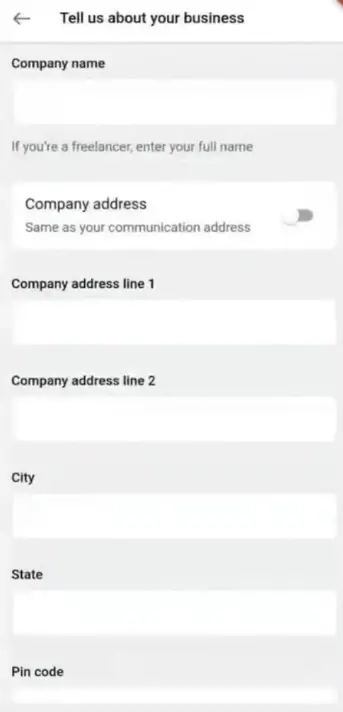
After this, you have to enter the name of your company or shop. If your shop’s adrece is different, don’t add the adrece. If the company is like a communication adrece, enable the company address option.
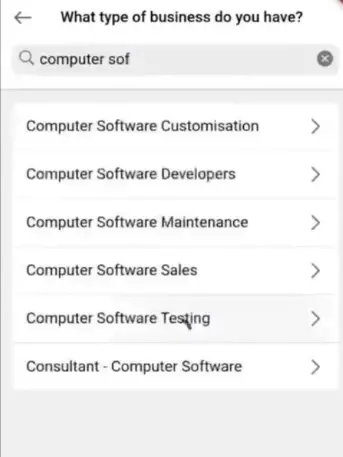
After that, select your business type like computer software or if you are freelancer, it can also be configured.
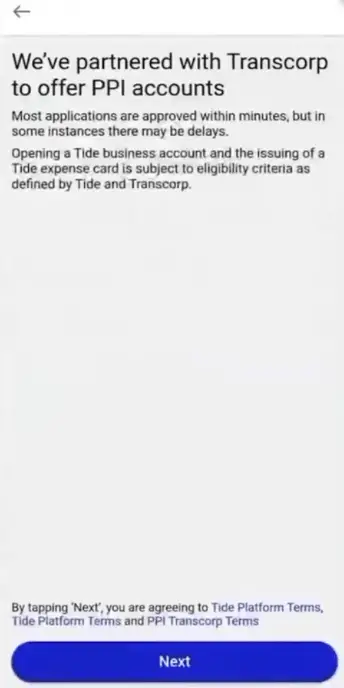
In this step, you just have to set up these PPI accounts with the trasncorp to deliver.
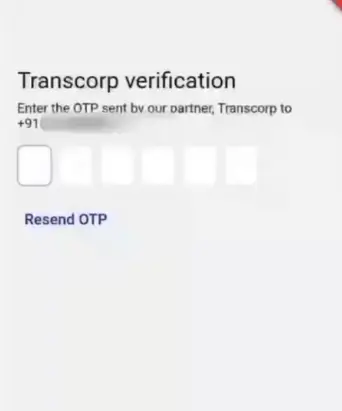
This time again will be an OTP on your phone To configure your account through trascorp. Next after inserting OTP.
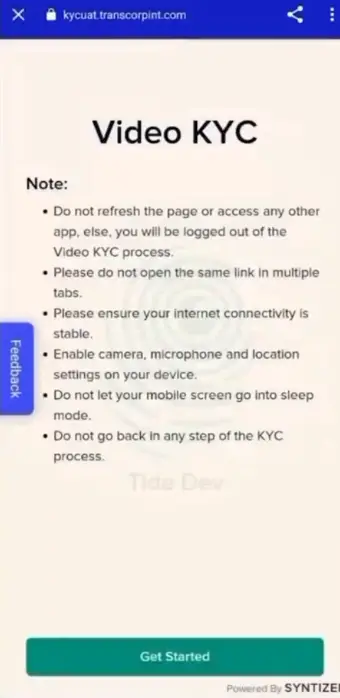
Now let’s tell you how to make a video KYC Kaise Karen. Don’t refresh this tab before completing the video KYC process and don’t open any other tabs and note that your internet connection is a bit faster than it doesn’t matter when you do video KYC.
If you are ready to vkyc then get started click. There will be a user consent Bus
I agree Go ahead by ticking on.
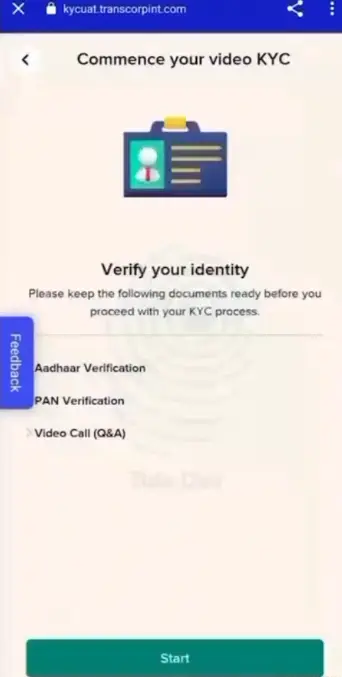
You must have a physical base card and a PAN card before you start this step. If you don’t have it, you can start by clicking on the Start button.
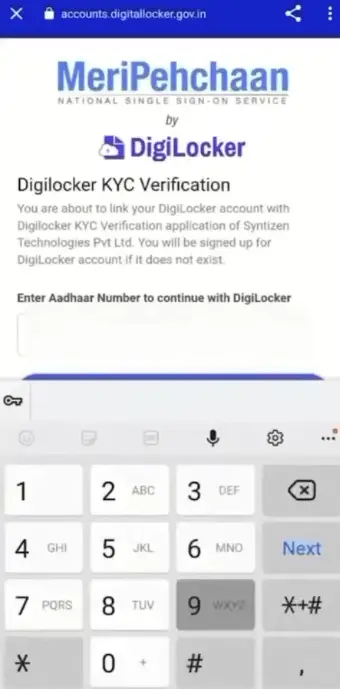
Enter your Aadhaar card number then proceed by entering an OTP on the link mobile number from your base.
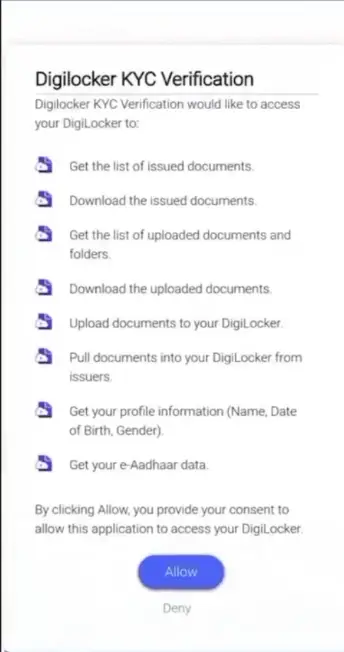
The digilocker will then sync your documents. Click on the allow for this.
Just click the Continu as your details sync will come a form.
Scan your physical PAN card to confirm your identity. Submit after scan.

Tide’s agent will connect with you to complete the video KYC. Select the language you want to talk to the agent in any language.

Next Buick Slots You will be connected with you in one or two minutes to click the Tide.
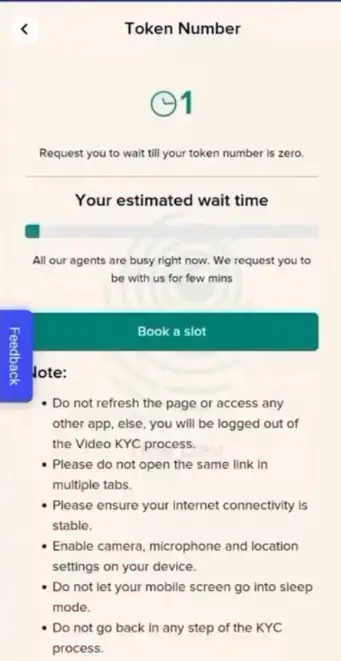
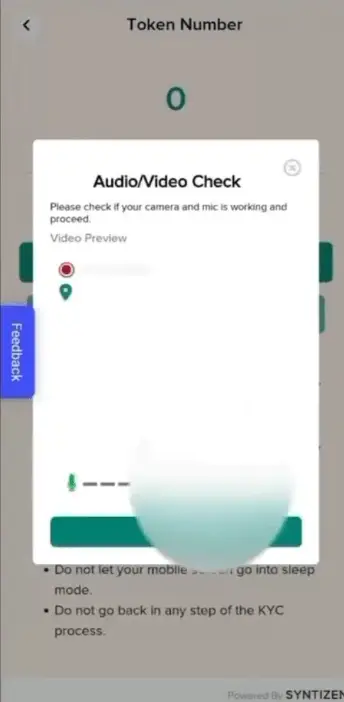
Then, after the Next, you will be checked by the phone’s audio. After this, an agent will talk to you whichever details you have given while registering, the same details will ask you. After all, your account will be approved.
Congratulations has successfully been your KYC process. Your account will be activated in some time after which you will be able to spend money using adds and cards.

Tide Business Account Card Activation Key
Once your KYC process is applied, your account is activated. After this, a physical card is sent to your home in 4 working days, you can avail a Tide account.
Firstly wipe the teed app and then you’ll see it in front of you To activate the card, click on it. Then enter 4 digits of your card number. Your card will be activated. After which this card can be used on every online site.
Tide App Me Paise Kaise Add Karen
Firstly, OPEN the Tide app. You will have a + plus mark to add money in front. Click on the above option. Then, enter as much as you have to add money. Next,
Now let you pay via BHIM UPI, Google Pay, Phone Pay or PayTM as soon as you pay, the money will start showing in your Tide wallet.
Tide Business Account Se Paise Kaise Nikale?
There’s no way to transfer the bank from the Direct wallet right now. But Tide gives you Rupay’s expansive card through which you can shop, recharge or bill payments on any ecommerce platform.
Having a Tide’s Expanes Card gives cashback as per its offers on all your shopping or expenses from which you save a lot.
You can also add money to another wallet using this card and the amount of your wallet can be transferred to the bank.
Tide Business Account Securing Loan
Tide has long been launched in India. Tide Business app is providing a loan in the UK but it is still planning in India At some time, you’ll also get the option to avail a loan from a tie.
You can apply for a loan when you’re looking for a loan option. The rest of the loan apps will have a very simple process.
Copyright © 2018. All Rights Reserved. Ministry of Federal Affairs and Local Development (MoFALD).
Spend the money you’ve kept before you close the account. You will also stop working as a physical card after closing.
Simple process is to close the Tide account. Firstly, OPEN the Tide app. Then click on the top you will see the option of the profile from your name. Then tap on the login & security then you will get the close account option show. Click here to close your account.
Your account will be closed forever.
© Copyright 2018. All rights reserved.
If you have any problems in tide business account, whether you are not logged in, are not able to load or spend money, or lost your card. If you have any problems with this type, you can contact with Tide’s customer care in three ways.
Tide app has the option of live chat with apps or money-connected problems by which you can solve your problem. Also you [email protected] Can also email on.
If you lose your tide letter somewhere, you have this number 011-40789090 You can report the team of Tide directly on. Also, new card orders will be able to block the cancel card permanently in the card section.
How to Settle an Account Limit?
Click on the app to set the limit in the Tide app. Click on the option of the card on the front and click on the card show. Next, a new page will open in which you can set the limit accordingly. Also can close or turn the contactless payment,ecom and ATM withdrawal option.
You can make an account of up to Rs 2 lakh at once and the tie allows you to make transactions up to 6 lakhs throughout the month.
Kya Tide Business Account Safe Hai Ya Nhi?
As we have mentioned in this post, Tide is a UK-based company partner with a large fitech company in India who has received licence from the RBI due to its rigorous monitoring of the RBI.
About Post
In this post, we go to the tide business app kya hai and how to open an account with its advantages. We’ve tried you to get all the information about Tide in the same post but if any information has been left or any question is associated with this post, you can ask us by commenting.


